Order Manager 2.10
CSV pending orders with optional position-management features.
Install and open
- Download the tool from the member downloads page and extract the ZIP.
- In MT5, select File → Open Data Folder. Copy the supplied MQL5 folders into that folder.
- Refresh Navigator and attach the EA from Expert Advisors to a demo chart. MT5 runs one EA per chart; use separate charts for separate EAs.
- Review Inputs before allowing trading. Check the Experts log after attaching.
Which version is supplied?
ordermanager2.ex5, version 2.10, includes CSV pending orders, lot splitting, trailing, breakeven and margin reduction. The older 1.24 source was found but is not included in this release: it has a header-parsing compiler warning and a second precedence warning. Version 2.10 compiles with zero errors and warnings. Runtime trading behavior has not been verified.
Prepare the CSV
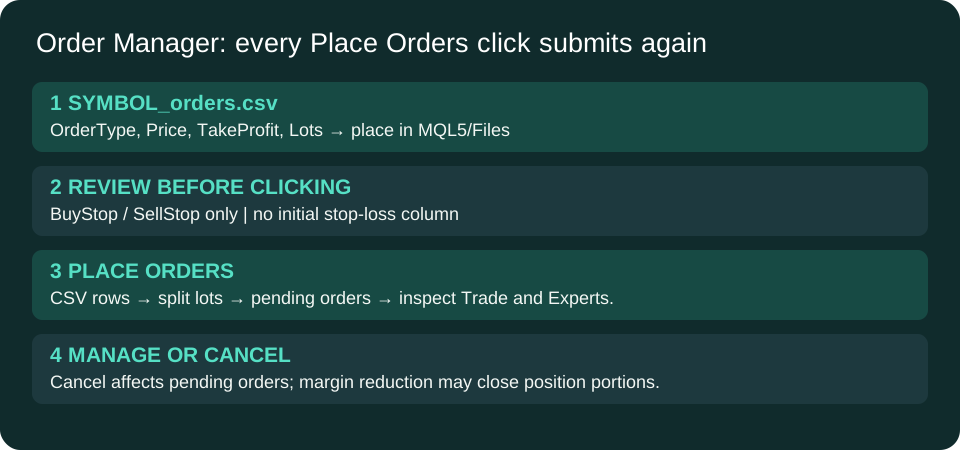
Create <exact-chart-symbol>_orders.csv in MQL5/Files, including any broker suffix. For USDJPY, the filename is USDJPY_orders.csv. Use comma-separated plain text; the four columns are OrderType,Price,TakeProfit,Lots. Supported types are BuyStop and SellStop, case-insensitive. There is no stop-loss column.
OrderType,Price,TakeProfit,Lots
# Replace placeholders using current demo-market conditions.
# BuyStop,ENTRY_ABOVE_ASK,TP_ABOVE_ENTRY,LOTS
# SellStop,ENTRY_BELOW_BID,TP_BELOW_ENTRY,LOTS
The included template contains comments only and will not submit example trades. Replace the placeholders and remove the comment marker only for rows you intend to submit. Lines starting with # or // and blank lines are skipped.
Submit and cancel
- Confirm the chart symbol, CSV contents, volume, prices and configured magic number.
- Click Place Orders once. This immediately attempts each supported row. Review the Trade tab and Experts log before doing anything else.
- Do not click again to check status: each click rereads the file and can create duplicate pending orders.
- Cancel Orders attempts to delete pending orders matching the chart symbol and magic filter. It does not close open positions.
Management settings
| Setting | Default and scope |
|---|---|
| MagicNumber | 202603; 0 treats all magic numbers as eligible in management/cancel filters. |
| MaxLotsPerOrder / MaxLotLimit | 100 lots per split / 50,000 total lots per CSV row. These are code limits, not recommended sizes; set appropriate limits before use. |
| Trailing | Enabled; start 20, distance 20, step 10 points. |
| Breakeven | Enabled; start 10, offset 10 points. Broker stop-distance rules may reject a change. |
| Margin protection | Enabled; threshold 90%, attempts 0.01-lot partial reductions up to six times per tick. |
| Enabled with 300-second cooldown; requires MT5 email configuration. |
Important scope and limitations
Trailing/breakeven management is filtered to the chart symbol. Margin reduction scans the oldest eligible position across symbols, using the magic filter; it can therefore affect another chart's position. Its volume rounding uses the chart symbol's step. Partial closing depends on account type and broker behavior. Do not assume this is an account-wide, broker-independent risk controller.
The lot splitter rounds to the volume step but does not fully clamp every chunk to the broker maximum. Send/modify results need checking in MT5. Trailing and breakeven run on ticks; the code does not refresh the stop value between their same-tick decisions. Avoid competing managers on the same position. These are documented behaviors of the existing tool, not newly repaired execution logic.