StopBot 1.00 / StopBotAlert 1.10
Initial stops, trailing stops and optional floating P/L alerts.
Install and open
- Download the tool from the member downloads page and extract the ZIP.
- In MT5, select File → Open Data Folder. Copy the supplied MQL5 folders into that folder.
- Refresh Navigator and attach the EA from Expert Advisors to a demo chart. MT5 runs one EA per chart; use separate charts for separate EAs.
- Review Inputs before allowing trading. Check the Experts log after attaching.
Choose one variant
| File | Purpose |
|---|---|
| STOPBOT.ex5 · 1.00 | Initial stop and trailing-stop management. |
| StopBotAlert.ex5 · 1.10 | The same management plus floating profit/loss alerts. |
Attach one variant for a given position set. These tools do not open new trades; they modify stops on eligible existing positions. Neither has an on-chart control panel. Configure them through Inputs and check the Experts log.
Set the position scope first
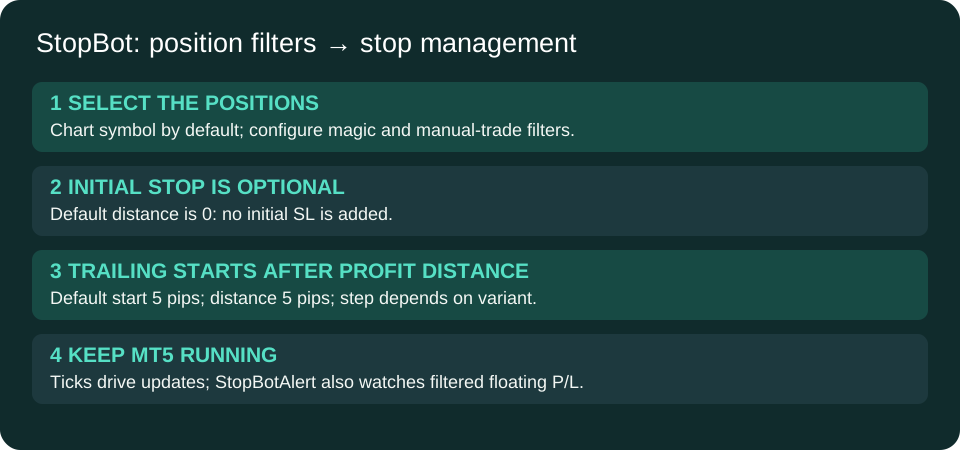
InpManageCurrentSymbolOnly=true restricts management to the chart symbol. With InpUseMagicNumberFilter=false (default), all magic numbers on that symbol pass. If you enable the magic filter, matching InpMagicNumber positions pass; InpManageManualTrades=true also admits magic-zero positions. Turning current-symbol-only off broadens the scan to all symbols. Do not run it alongside another stop manager on the same positions unless you have deliberately separated their filters.
Stop settings are in pips
| Input | Default |
|---|---|
| InpTrailingStopPips | 5 pips behind current Bid for buys or Ask for sells. |
| InpTrailStartPips | Start trailing after 5 pips of favorable movement. |
| InpStopLossPips | 0: initial stop is disabled. Choose a positive distance if you want an initial SL while no stop exists. |
| InpTrailStepPips | 0 in STOPBOT 1.00; 10 in StopBotAlert 1.10. This is the required improvement before another trailing update. |
| InpSetInitialStopImmediately | true; applies only when the initial distance is positive and no stop exists, before trailing is active. |
| InpAllowStopLossLoosening | false; keep this default unless you intend otherwise. |
The pip conversion is ten points for three- or five-digit symbols and one point otherwise. Verify the resulting distance for metals, indices and crypto; a broker's informal “pip” may differ. Broker stop/freeze distances can widen the requested distance. Existing TP is preserved. The EA runs on chart ticks; terminal downtime stops new trailing adjustments.
Floating P/L alerts in 1.10
Alerts total profit plus swap for positions passing the same filters; commission is not included in that sum. Percentage thresholds use current account balance. The default is a money-profit alert at 100 account-currency units; percentage-profit, money-loss and percentage-loss alerts are off. Enter loss thresholds as positive numbers. Popup and log output default on; sound uses MT5 PlaySound and the configured filename.
Each threshold fires once until P/L retreats past its reset level. With the default 10% reset, a 100-unit profit alert rearms below 90; a 100-unit loss alert rearms when the loss shrinks below 90. The alerts themselves do not close trades. Stop modifications continue independently.
Check after attaching
- Verify the intended positions pass the filters.
- Confirm whether an initial stop is enabled; the default does not add one.
- Observe stop changes on a demo position and check broker responses in Experts.
- For 1.10, configure and test the desired notification thresholds and WAV file.
Both variants compile with zero errors and warnings. No positions were modified during preparation of this release.